The Developer Saga: Postgres Part #1 - Database Access
Let's dive into how Postgres access works.

Hello every one! This is the first step of the saga of learning Postgres as a developer, together we will dive into Postgres docs to find the treasures and avoid the traps of using the most advanced open source relational database of the world.
⚠️: This series is based on my current study of Postgres, in case of any wrong info, please comment below!
The Goal
The topics I have in mind is:
- How to create a database;
- How to create users;
- How permissions system works;
- How to create tables, views, materialized views;
- Limitations and gotchas (as a developer);
- Advanced Aggregations
- PostgreSQL is an object-relational database management system - "Where is my JSON?";
- Indexes! Indexes! Indexes!;
- Constraints: Table level? Row level? Field level? Operation level?;
For not reinventing the wheel, I'll link articles on how to get a Postgres database running.
How to easily create a Postgres database in Docker
Local Development Set-Up of PostgreSQL with Docker
Database Access
The first surprise I got with Postgres was the access because it doesn't work as I expected. When you create your Postgres instance, you probably ended with access like:
-- postgres is a superuser
postgresql://postgres:password@localhost:5432/postgres
You can connect using psql, pgAdmin or the client of your preference, in my case is Beekeeper. Let's see an example with psql:
## Postgresql version 11.12
psql --username=postgres --password --host=localhost --port=5432 --dbname=postgres

psql (12.7 (Ubuntu 12.7-0ubuntu0.20.04.1), server 11.12)
Type "help" for help.

postgres=>
Let's create a new database because I prefer not use the main database as playground.
CREATE DATABASE test_database;
We can list all databases (remember you a super! You have a lot of power).
## \l command
postgres=# \l
                                     List of databases
      Name       |  Owner   | Encoding |   Collate   |    Ctype    |   Access privileges
-----------------+----------+----------+-------------+-------------+-----------------------
 postgres        | postgres | UTF8     | en_US.UTF-8 | en_US.UTF-8 |
 template0       | postgres | UTF8     | en_US.UTF-8 | en_US.UTF-8 | =c/postgres          +
                 |          |          |             |             | postgres=CTc/postgres
 template1       | postgres | UTF8     | en_US.UTF-8 | en_US.UTF-8 | =c/postgres          +
 test_database   | postgres | UTF8     | en_US.UTF-8 | en_US.UTF-8 | =Tc/postgres         +
                 |          |          |             |             | postgres=CTc/postgres+
                 |          |          |             |             | app=CTc/postgres

(4 rows)
Or you can list using SQL:
SELECT datname FROM pg_database;
So far, so good, but how can we switch from postgres database to test_database? The short answer is: We can't.

In Postgres, you can't switch database with a simple, USE DATABASE test_database; you have to close the connection and connect again. Using psql we can do it easily with the command \connect or \c, but we don't have an alternative with pure SQL.
## \c command with the database and the username
postgres=# \c test_database postgres
Password for user postgres:
psql (12.7 (Ubuntu 12.7-0ubuntu0.20.04.1), server 11.12)
You are now connected to database "test_database" as user "postgres".
test_database=#
Schemas are like namespaces that group resources in a database. Every database has a public schema when it is created, and any user have access to the public schema.
## \dn command
test_database=# \dn
-- SQL
SELECT schema_name FROM information_schema.schemata;
-- OR
SELECT nspname FROM pg_catalog.pg_namespace;
During the research to understand this part of postgres many sources indicate that it is a good practice to revoke all privileges in the public schema, some go further and deleted it completely. Some reasons are:
- Any user can CRUD tables in the public schema;
- Because of some default behaviors, public schema can be insecure.
- They are DBAs. Developers normally only consider their application accessing the database, but the DBAs perspective is allowing access to auditors, BI connectors, service integrators, job routines, backup scripts, CI/CD access to roll migrations, and all this stuff should have a well-crafted user with enough privileges to do the task, no more, no less.
Let's follow the best practices and say goodbye to the public schema.
-- The uppercase PUBLIC is a role, the lowercase is the schema
-- Revoke privileges from 'public' role
REVOKE  CREATE  ON  SCHEMA  public  FROM  PUBLIC;
REVOKE  ALL  ON  DATABASE test_database FROM  PUBLIC;
P.S: Take care, if you want to use any framework or tool connected to your Postgres database, check if it is possible to use another schema.
We will explore Postgres with a banking system in mind, so let's create our first schema.
-- Simple way
CREATE SCHEMA banking;
-- With a schema owner
CREATE SCHEMA banking AUTHORIZATION postgres;
You can read more about schemas in the PostgreSQL docs.
Is it OK use to a superuser?: NO! The first thing you have to do is get a user with fewer privileges.
We could create tables, schemas e study other topics, but first I want to dive into the user creation.
User, Role, and Group
Let's create a new user to do some administrative tasks.
CREATE USER dbadmin WITH PASSWORD 'verystrongpassword';
Every user created is a NOSUPERUSER, so we need to assign roles and privileges to dbadmin, but now we stepped in a confusing chapter of our journey because Role, User, and Group is the same thing.
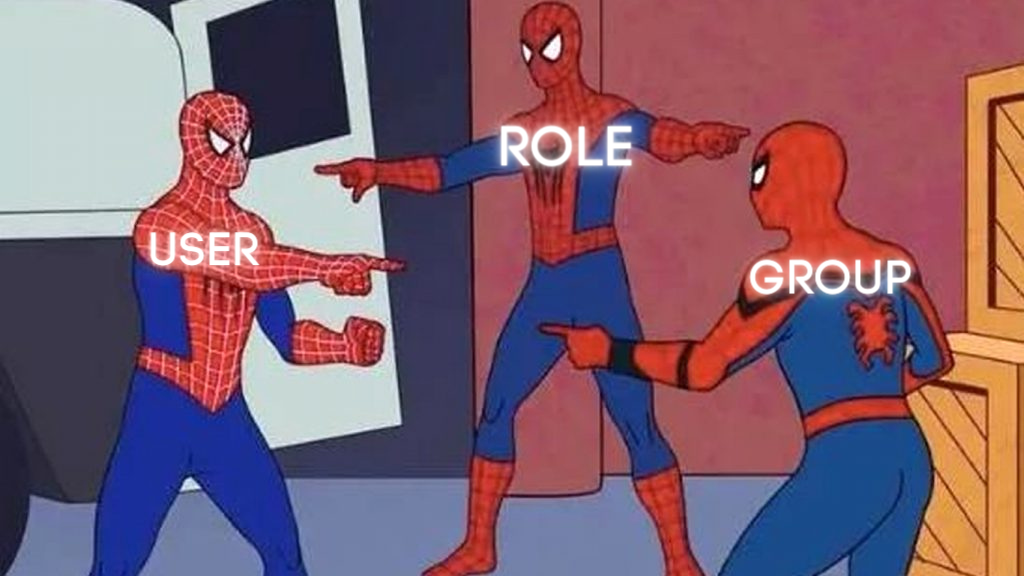
Group and User are alias for Role, so you could do CREATE ROLE dbadmin CREATE GROUP dbadmin or CREATE USER dbadmin.
The only difference is that CREATE USER also add a role LOGIN to dbadmin and this makes possible to login using the credentials and Group is obsolete, so the recommended is to use Role.
-- CRUD
ALTER DEFAULT PRIVILEGES FOR ROLE dbadmin IN SCHEMA banking
GRANT SELECT, INSERT, UPDATE, DELETE ON TABLES TO dbadmin;
GRANT ALL PRIVILEGES ON ALL TABLES IN SCHEMA banking TO dbadmin;
GRANT ALL PRIVILEGES ON ALL SEQUENCES IN SCHEMA banking TO dbadmin;
GRANT  CREATE  ON  SCHEMA  banking  TO  dbadmin;
Now our user is capable of create tables, CRUD than and so on, but before we switch users, let's create another user based on the dbadmin but without the privilege to create tables:
CREATE  USER  dbsubadmin  PASSWORD  'verystrongpassword2' IN  ROLE  dbadmin;
REVOKE  CREATE  ON  SCHEMA  banking  FROM  dbadmin;
Our new user dbsubadmin is created with role dbadmin, is weird I know, but we to do this kind of exploration. We can check our users with the following command:
SELECT  usename,  usecreatedb,  usesuper  FROM  pg_user;

  usename   | usecreatedb | usesuper
------------+-------------+----------
 postgres   | t           | t
 dbadmin    | t           | f
 dbsubadmin | f           | f
(3 rows)
I promise that we will create some tables in the next article 🤣, stay tuned.

